
If you no longer wish to use your you tube account and you want to delete it, then below are the instructions.
Instructions to delete youtube account
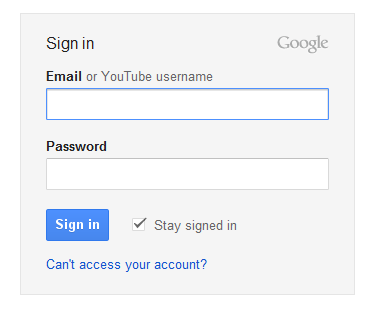
Step 1: Sign-in to your Youtube account.
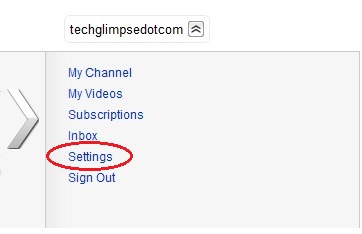
 Step 2: Click your “Profile name” displayed on the top right corner of the page and click “Settings”
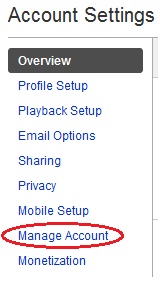
Step 3: Click the “Manage Account” link on the Account settings page. (Located at the left side of the page)
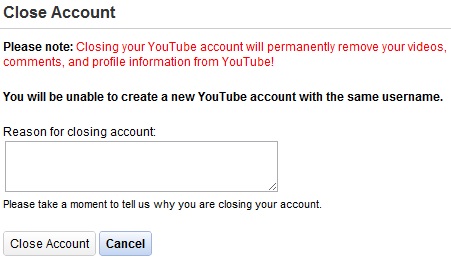
Step 4: Click “Close account” as show in the below picture.
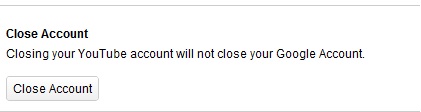
Step 5: Provide the reason for closing your youtube account. Note: Closing the youtube account will delete all the videos, comments and subscription made. But your google account will not be deleted.
Warnings:
Closing your youtube account will permanently remove your videos, comments and profile information from YouTube. You will not be able to create the Youtube account with the same username.
